
Difference between revisions of "DG4244 WiFi Channels"
Jump to navigation
Jump to search
(Created page with "<nowiki>=Changing Wi-Fi Channels=</nowiki>") |
|||
| Line 1: | Line 1: | ||
< | <div class="ncfrightbox w-25"> {{Template:Sercomm DG4244}} </div> | ||
=Changing Wi-Fi Channels= | |||
By default, the Sercomm DG4244 Gateway automatically selects the Wi-Fi channel with the least congestion and interference for both the 2.4 GHz and 5 GHz frequency bands. If necessary, you can manually select a Wi-Fi channel by following the steps below: | |||
#Open a web browser and go to http://192.168.0.1 | |||
#Log in using your administrator credentials. | |||
#From the left-hand menu, select Connection, then click Wi-Fi. | |||
#Locate the Channel Selection option and set it to Manual. | |||
#From the Channel drop-down menu, select the desired Wi-Fi channel. | |||
#Click Save Settings to apply the changes. | |||
Note: To help determine the best Wi-Fi channel for your location, you can use a Wi-Fi analyzer application. These tools scan nearby wireless networks and can help identify channels with less congestion and interference. | |||
=See Also= | |||
Revision as of 14:54, 20 August 2026
Sercomm DG4244
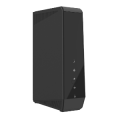

Sold from March 2026
Changing Wi-Fi Channels
By default, the Sercomm DG4244 Gateway automatically selects the Wi-Fi channel with the least congestion and interference for both the 2.4 GHz and 5 GHz frequency bands. If necessary, you can manually select a Wi-Fi channel by following the steps below:
- Open a web browser and go to http://192.168.0.1
- Log in using your administrator credentials.
- From the left-hand menu, select Connection, then click Wi-Fi.
- Locate the Channel Selection option and set it to Manual.
- From the Channel drop-down menu, select the desired Wi-Fi channel.
- Click Save Settings to apply the changes.
Note: To help determine the best Wi-Fi channel for your location, you can use a Wi-Fi analyzer application. These tools scan nearby wireless networks and can help identify channels with less congestion and interference.